What an AI design agent does, and why we built boom.design
An AI design agent asks what it needs, then draws an editable design you can change by hand or by asking. Here's how one works, step by step.
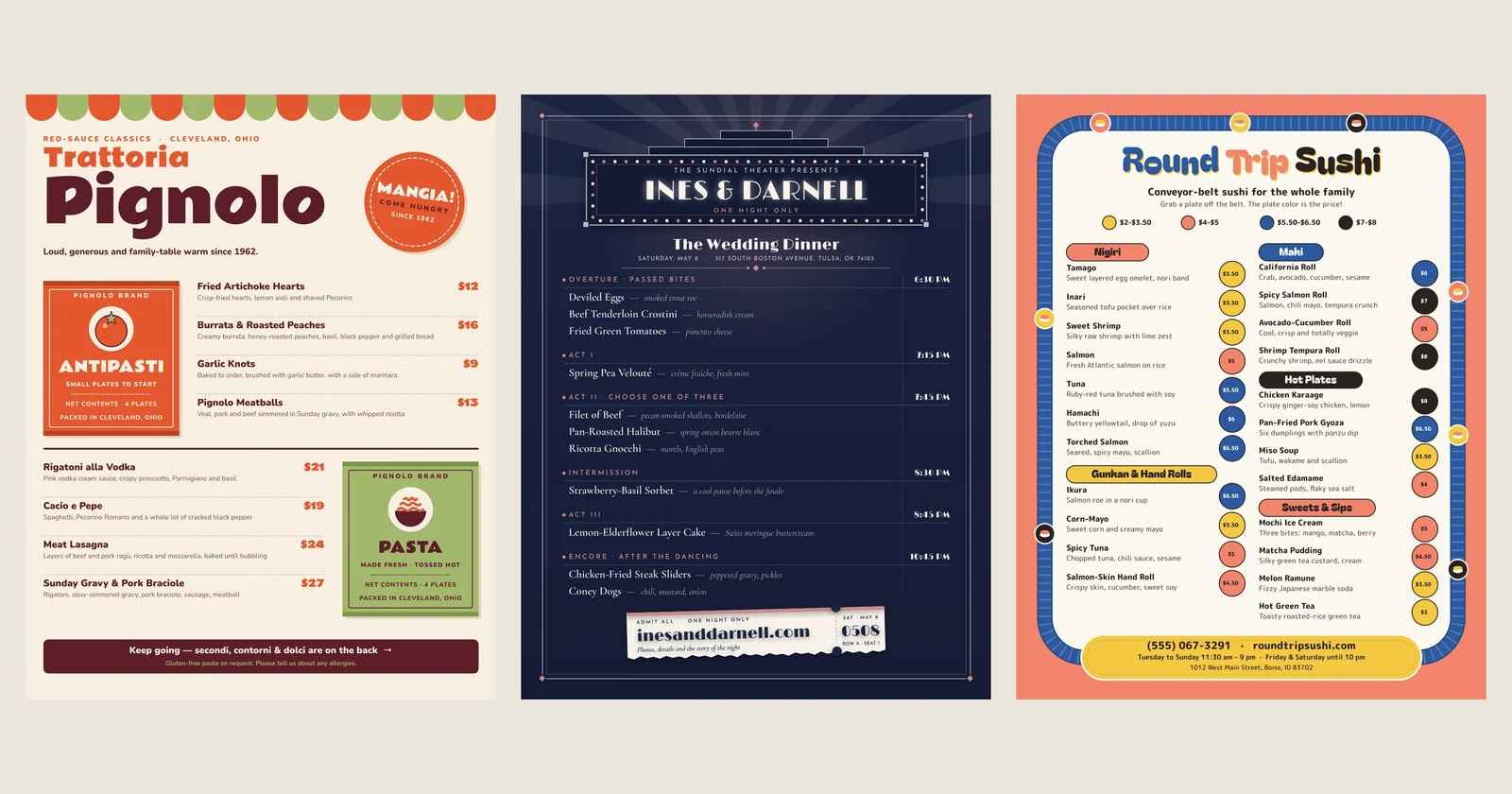
An AI design agent is software that takes a design request in plain words and does the work a designer would: it asks what it needs to know, picks the fonts, colors and photos, lays out real text and shapes on a canvas, looks at the result and fixes what's off. What you get is a design you can still edit, not a flat picture. boom.design is an AI design agent for the everyday graphics a business needs: flyers, social posts, menus, logos, business cards and the rest.
This post covers what makes something an agent rather than an image generator, why we built one, and what using it looks like from the first sentence to the downloaded file.
Agent, image generator or template: what's the difference
Three kinds of tools get called "AI design" today, and they hand you very different things.
- An image generator turns one prompt into one picture. It can look great, but it's flat: if a word is misspelled or the logo sits in the wrong place, you prompt again and hope.
- A template site gives you a fixed layout to fill in. It's editable, but the look was chosen before you arrived, and many other people chose it too.
- A design agent plans and builds the design for your request, in steps, out of separate pieces: each headline is a text box, each photo is a picture you can crop or swap, each badge is a shape. Then it keeps working with you. You ask for a change and it edits the same design rather than starting over.
The words "agent" and "design" also turn up in tools for app designers. Figma's agent, for example, works inside Figma Design with a team's own components. boom.design is for something else: the poster for Saturday, this week's Instagram post, the menu that needs new prices.
Why we built boom.design
We kept hitting the same four walls, whether the job was a flyer for a local shop or a week of social posts.
- Design tools are slow. A simple flyer could eat an afternoon of dragging boxes, nudging text and looking up the right size.
- Designers cost too much for small jobs. A designer is worth it for a brand. For a quick poster, the cost and the back-and-forth rarely are.
- AI pictures can't be edited. A typo in an AI-made headline means generating the whole thing again.
- Templates all look alike. Yours ends up looking like a hundred others.
So we built the tool we wanted: describe what you need in a sentence, let it ask what it has to, and get a design made for your thing, with real text, shapes and pictures on a canvas. Then change anything, by asking or by hand.
One design, start to finish
Here is what that looks like for one Instagram post, a coffee shop announcing a new drink.
1. Describe it in a sentence
On the boom.design home page, type what you need into the box that asks "What would you like to design?" and press Enter or the arrow. A sentence is enough. Say what it's for, and add anything you already know: the name, the date, the offer, the mood. The Brand kit button under it picks a kit for the design to follow (more on those below).

2. It asks before it guesses
If the request leaves things open, the agent asks a few questions first, one at a time, in a panel where the message box usually is. Each question comes with an answer already picked, marked "Suggested", so you can accept most of them as they are. Start designing now skips the rest and lets it go with its picks. It doesn't ask when your request already says everything, or when you're asking for a change.
This is where a lot of the quality comes from. "A flyer for my café" could be a dozen different designs. Knowing whether it's a grand opening or a weekly special, playful or calm, saves a round of corrections later.
3. It draws on a real canvas
Then it builds the page. It searches the font catalog, finds photos from Pexels and Pixabay, and places every element as a separate object you can see in the Layers panel. When the pages are drawn, it looks at them, the way a designer steps back from a layout, and fixes what it sees: text running too close to an edge, a heading that doesn't stand out.
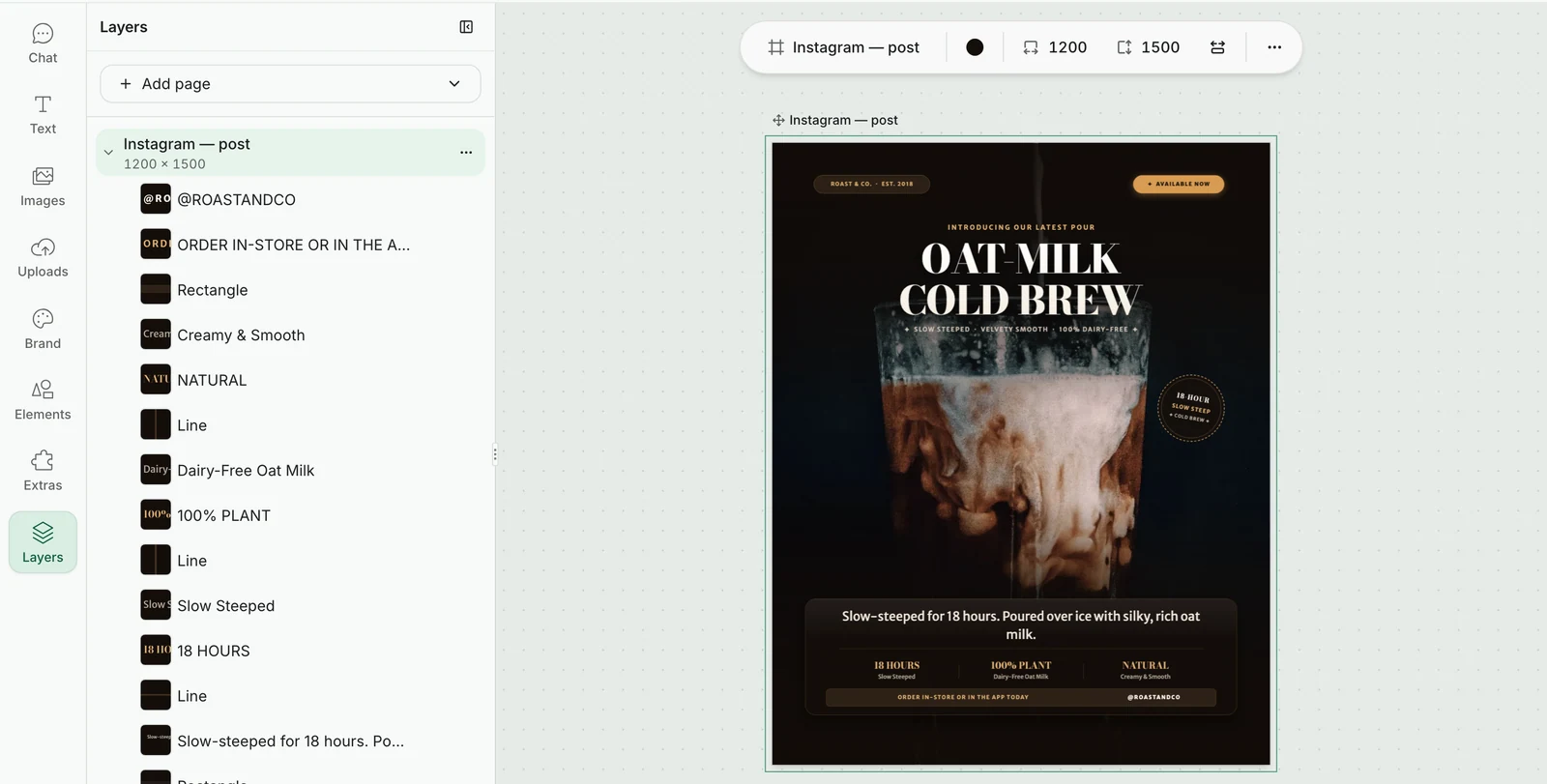
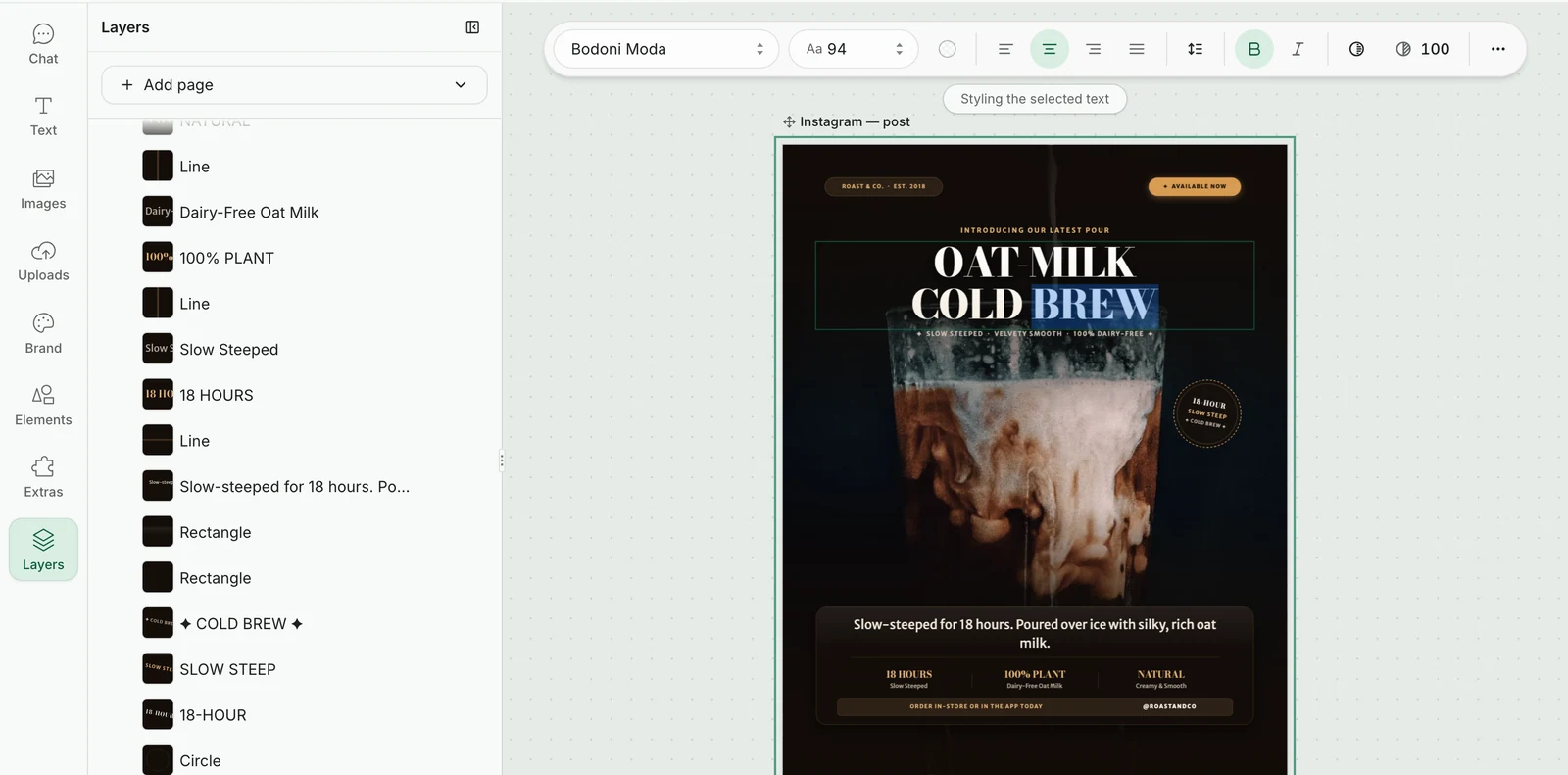
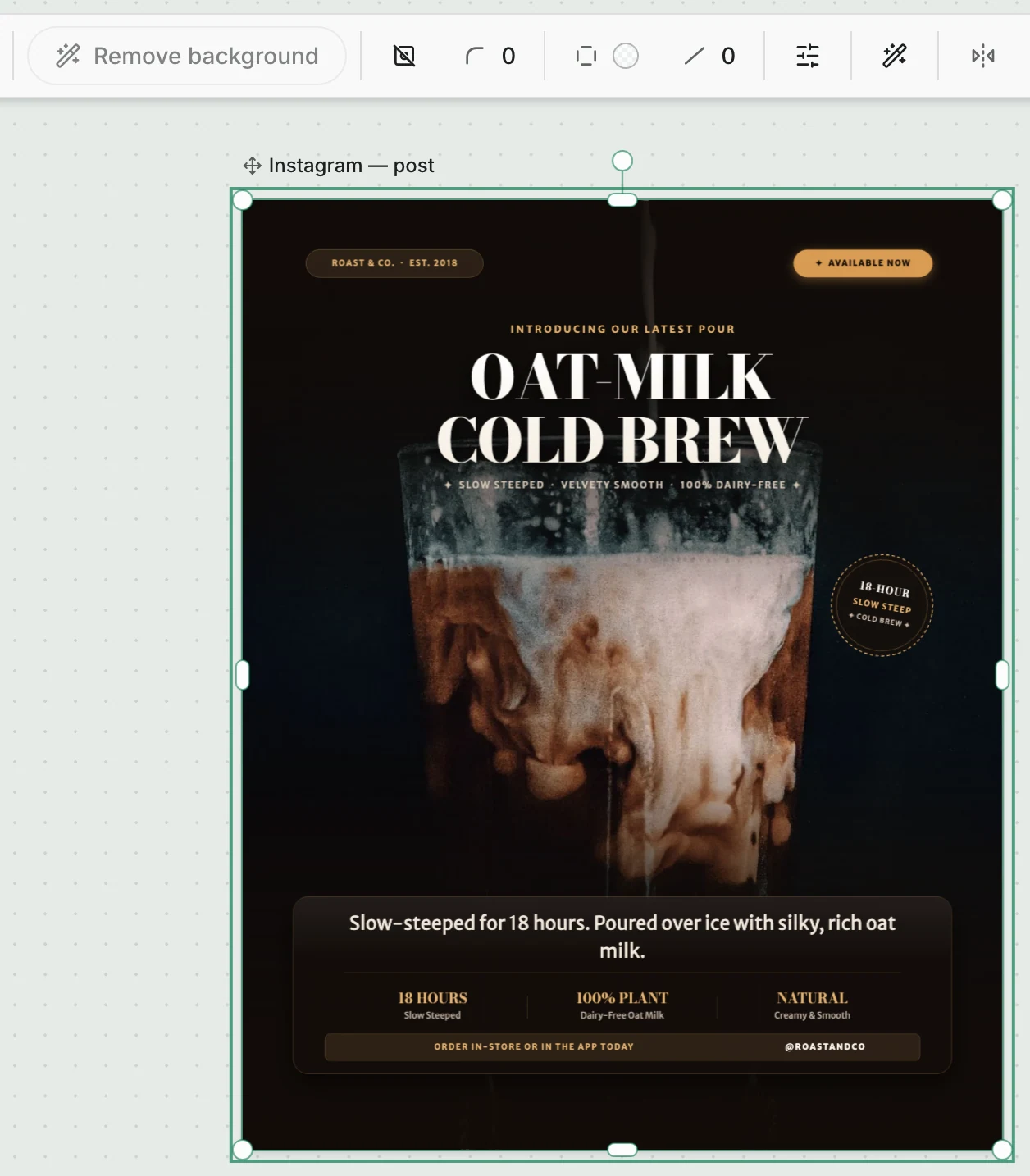
The result is a design you can take apart. The post below is 30 layers: each line of text, each rule, each badge, the photo behind them. Every text is real text: double-click it to type, and the bar above the canvas holds its font, size, color and spacing. Undo is ⌘Z, as anywhere else.
4. Ask for a change
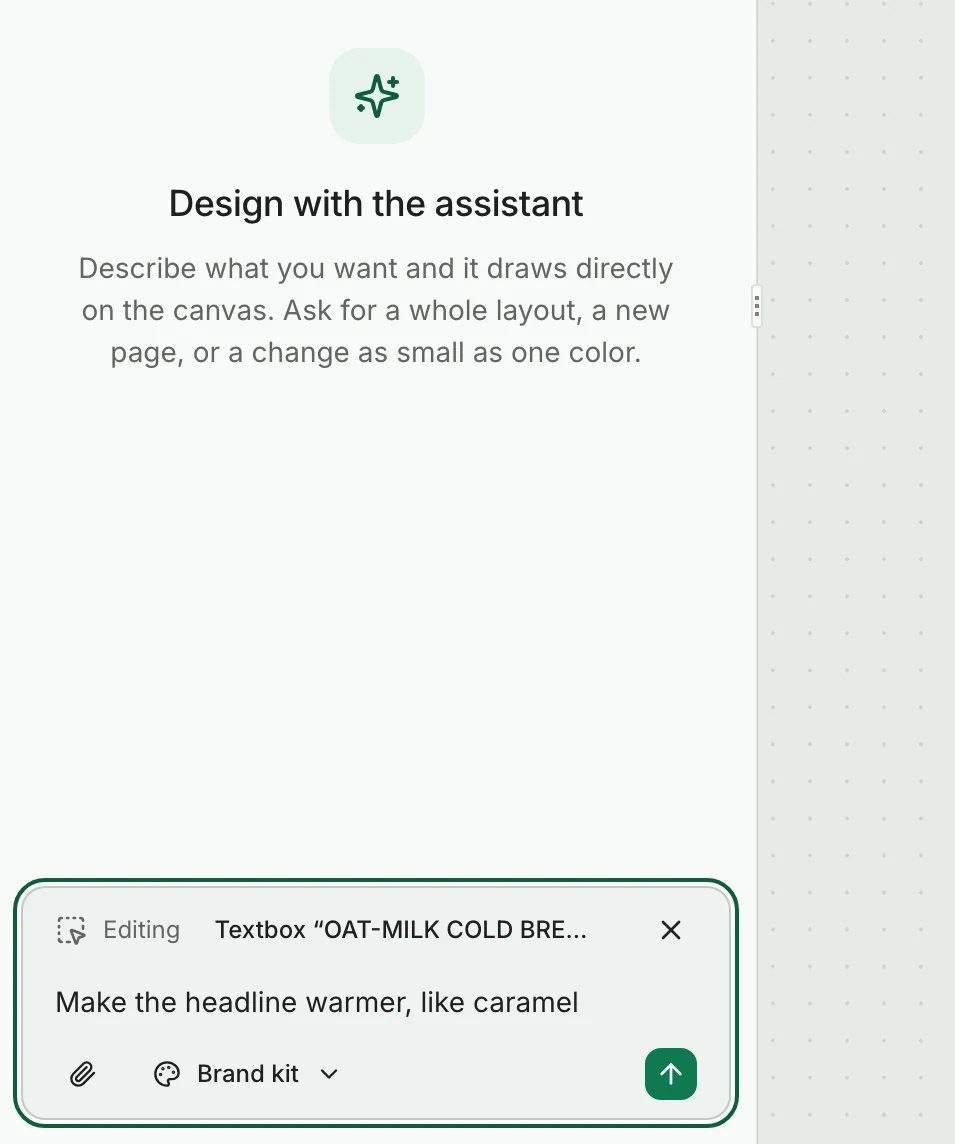
You don't have to find the right control. Select something, and the chat's message box shows what you're editing and says "Describe a change to what you selected". Type "make the headline warmer, like caramel" and the agent changes that headline. Nothing else on the page moves.
5. Download it
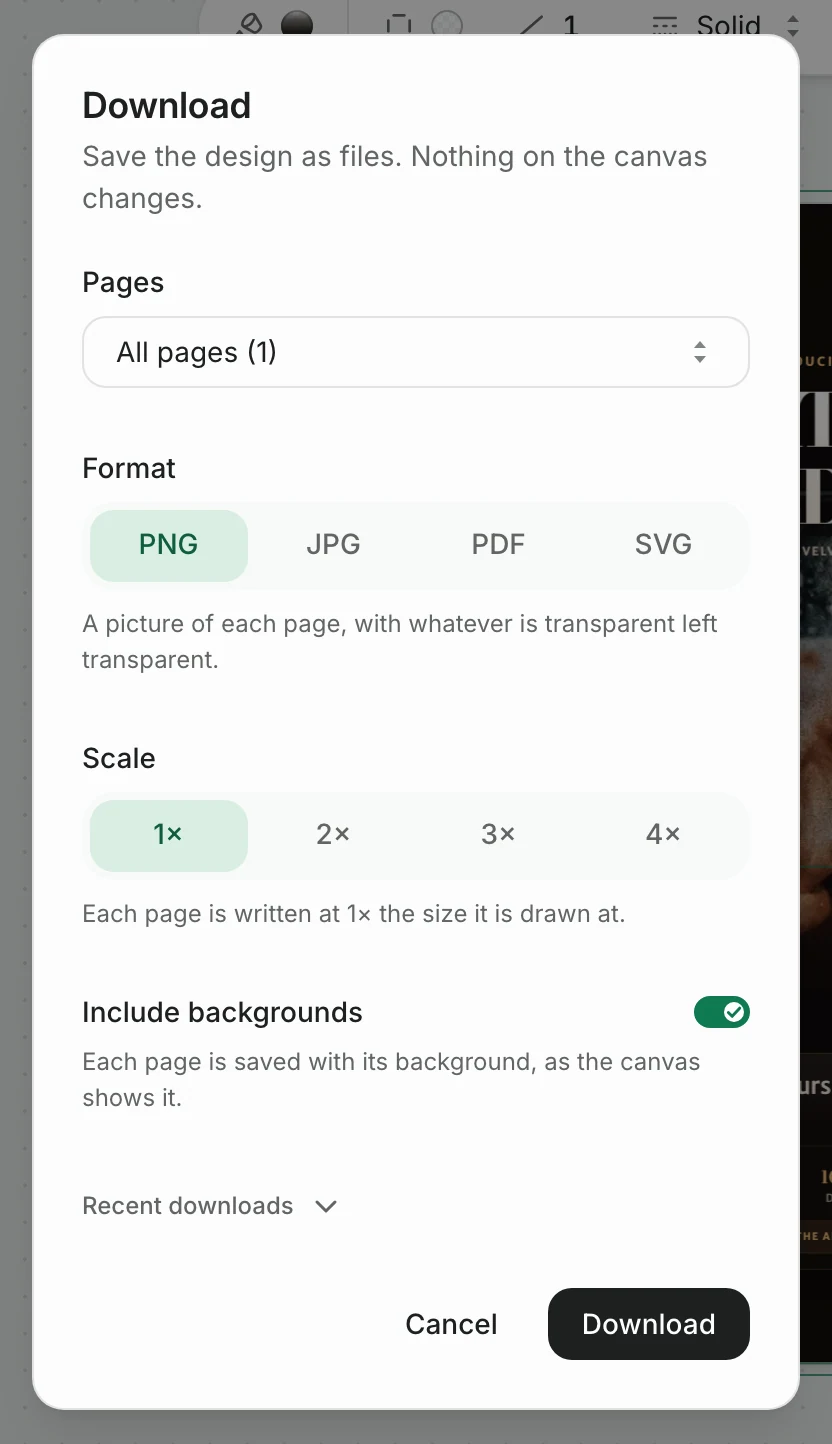
Download saves the design as a PNG, JPG, PDF or SVG file, for every page or just one, with or without the background. The free plan downloads PNG and JPG. PDF, SVG and larger sizes, up to 4×, come with a paid plan.
What else the agent can do
Most design tools stop at the layout. These are the parts we found ourselves needing every week.
A brand kit read from your website
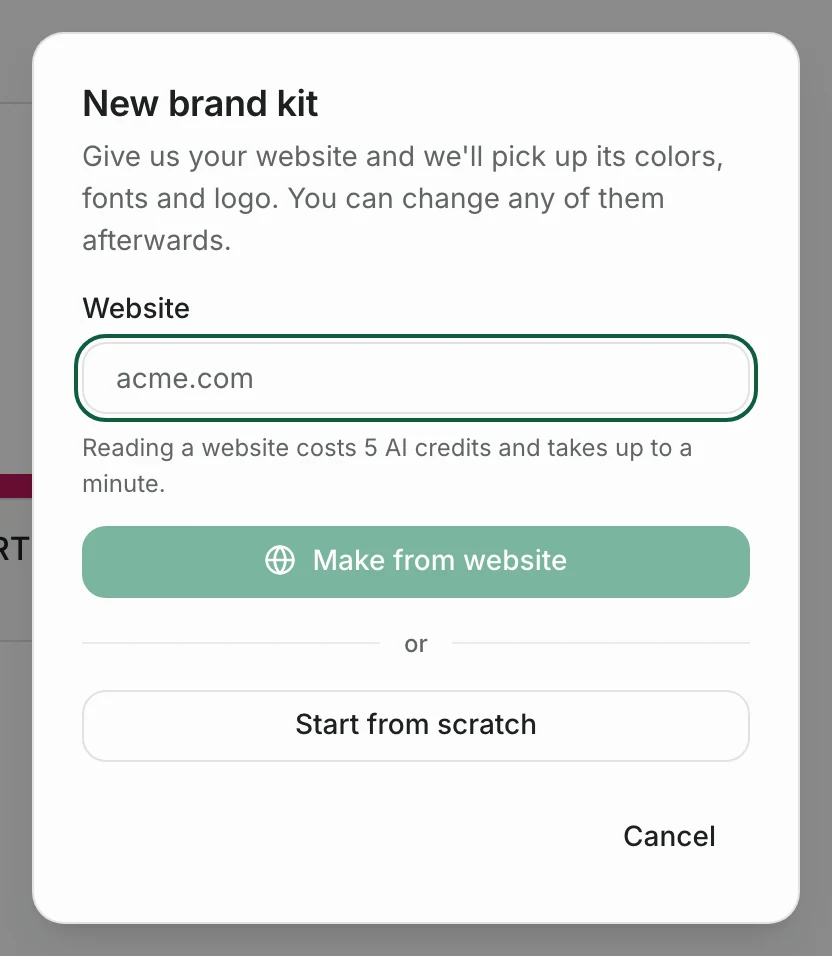
A brand kit holds your name, logos, colors, fonts and voice, and every design that uses it follows them. On the Brand kits page, New brand kit asks for your website, and Make from website reads its colors, fonts, logo and tone of voice into a kit in up to a minute, for 5 AI credits. You can also start one from scratch, or answer "Use my website" when the agent asks about your brand.
Pictures it draws for you
When a design needs a mascot, an icon or a scene that no stock photo has, the agent draws one, in one of two ways. As shapes, it's a group of flat shapes you can recolor, which suits a logo mark or anything that has to match your colors. As a picture, it's a painted image with a see-through background, for art with shading and texture; it's also saved to your Uploads. Either costs 10 AI credits. Drawings are made without lettering, so the words stay real text you can edit.
Editing a photo while keeping the faces
Ask the agent to change what a photo shows, such as the pose, the background inside it, something added or taken away, or the season, and it edits that picture while keeping what you didn't mention: the faces, the clothes, the framing. The original stays in your account, so you can always go back. A picture edit costs 10 AI credits.
Background removal
Select a picture and press Remove background to cut out the subject. It costs 1 AI credit, and nothing for a picture already cut. The agent uses it too, when a design calls for a product on a clean background.
A QR code made in the editor
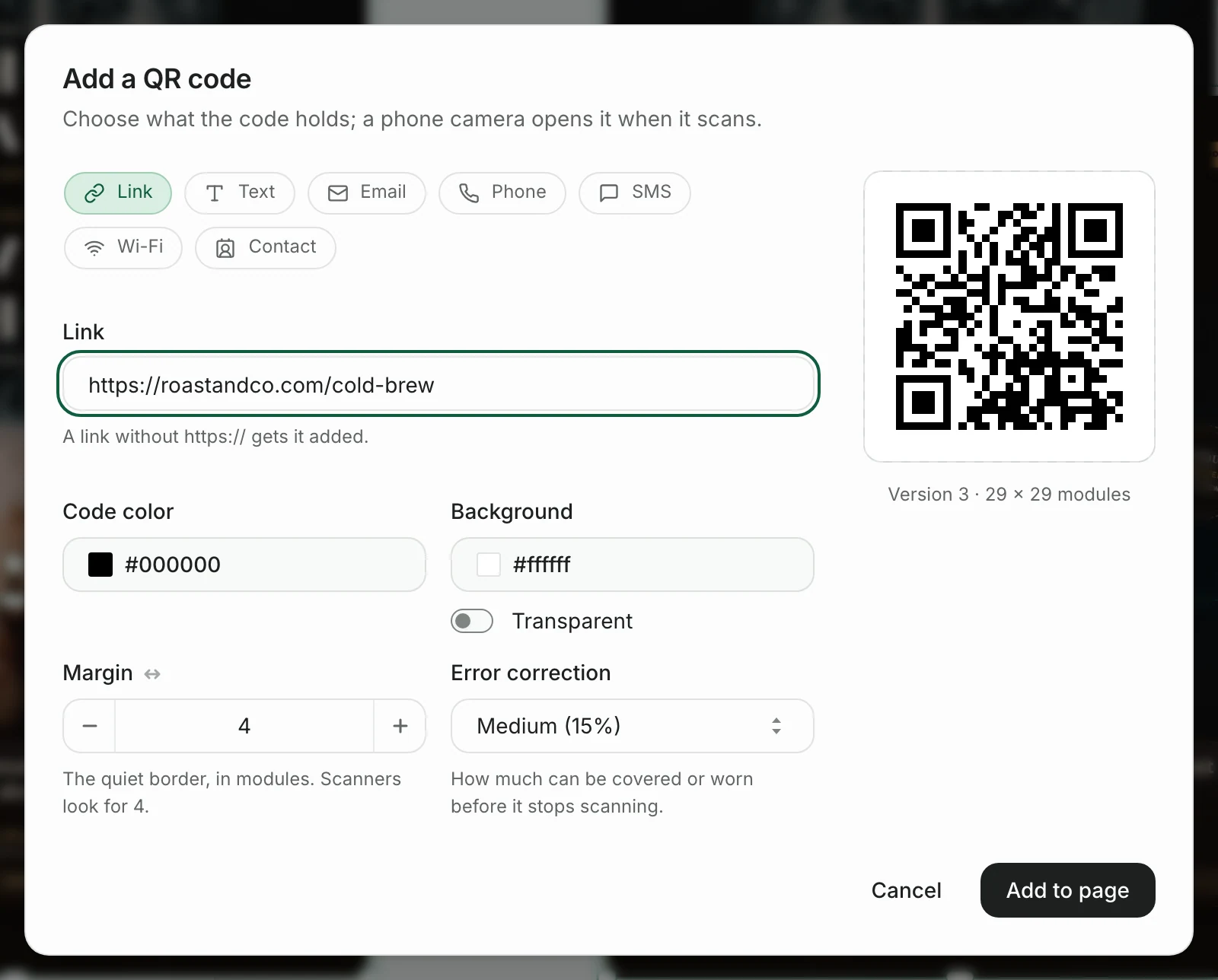
Under Extras, QR code makes a code that holds a link, text, an email, a phone number, an SMS, a Wi-Fi network or a contact card. You pick its colors, its margin and its error correction, and Add to page places it on the design as a real code, not a pasted image.
Pages of any size
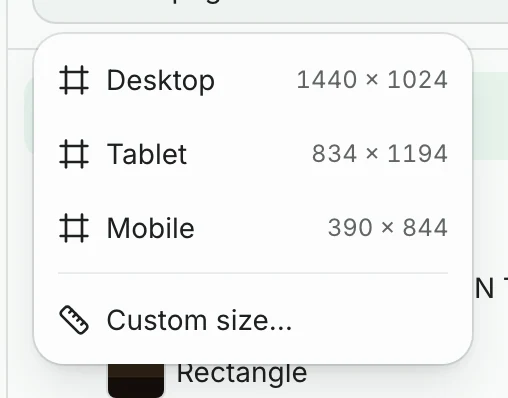
The agent makes pages at any size from 160 to 6,000 pixels on a side, so you can simply ask for "a YouTube thumbnail" or "a poster". By hand, Add page in the Layers panel offers Desktop, Tablet, Mobile and Custom size….
A link to share, and Present
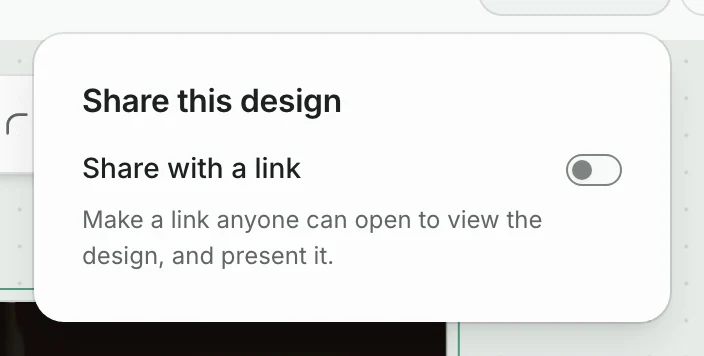
Share turns on a link anyone can open to view the design. It isn't listed on Google. From that page, Present shows the design full screen, which is handy for a slide or a menu board. You can also let visitors copy the design into their own account to edit.
What it doesn't do
An honest list, so you know before you start:
- It makes still designs. Downloads are PNG, JPG, PDF or SVG. There's no video or animation.
- It doesn't post for you. You download the file and post or print it yourself.
- It works while the design is open. The agent draws in your browser tab. Close the tab halfway and it stops; open the design again and it carries on.
- Painted pictures can't be recolored. A drawing made as shapes can; one made as a painted picture can only be redrawn or edited.
Start from a template, or from a sentence
If you'd rather see some designs first, these are recent social posts made for small businesses. Every template opens in the same editor, and the agent can change it for you.

Editorial Dictionary Page Skincare Quote Instagram Post

Bold Tape Measure Workwear Testimonial Instagram Story
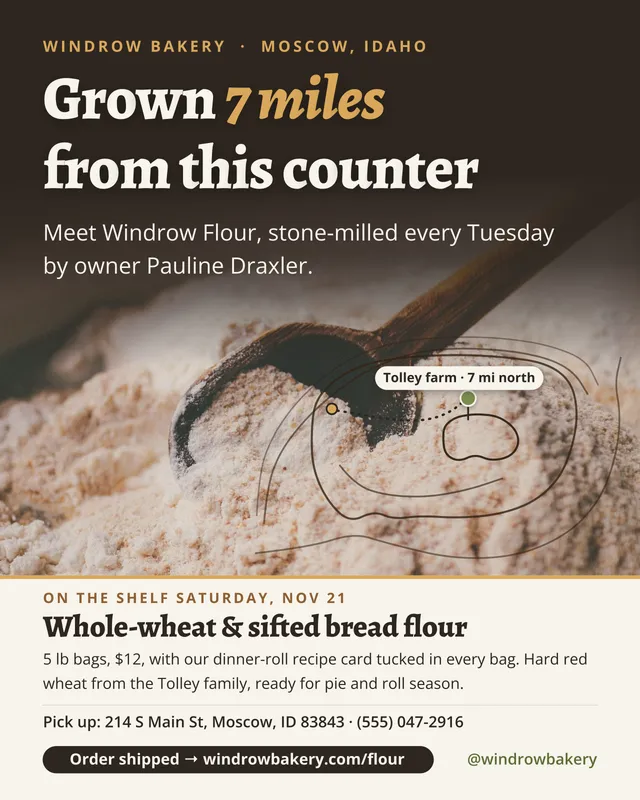
Earthy Topographic Flour Bakery Product Launch Facebook Post

Bold Open Locker Black Friday Gym Membership Sale Instagram Post
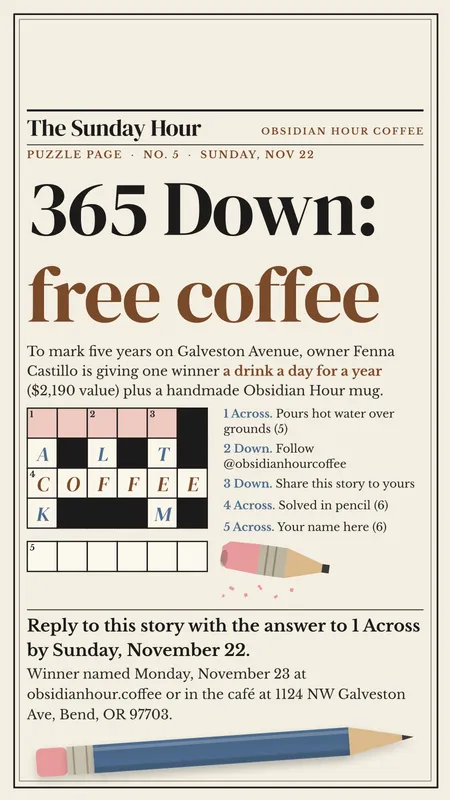
Editorial Crossword Puzzle Coffee Shop Giveaway Instagram Story

Minimal Door Hanger Hotel Research Travel Agency Facebook Post
Or describe yours. A new account comes with 50 AI credits to try it, no card needed.